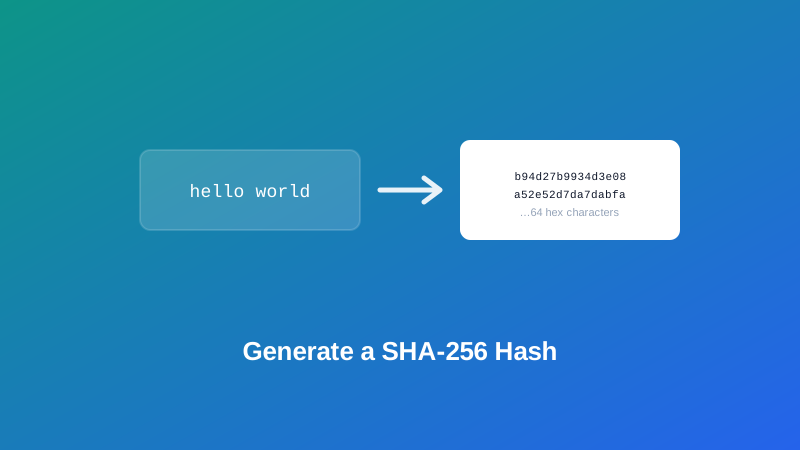
Somewhere in a setup guide, an API doc, or a coding exercise, you hit a line like "compute the SHA-256 hash of this string and compare it to ours." No further explanation, just an assumption that you already know what that means and how to do it. If you've never generated a hash before, it's a strange-looking task — you're not encrypting anything, not really converting it either, just... hashing it.
This guide covers what a hash function is actually doing under the hood, why the process only runs in one direction, and how to pick between MD5, SHA-1, SHA-256 and SHA-512 when nothing tells you which one to use. By the end, "hash this string" stops being a mystery instruction and becomes a five-second task.
What a Hash Function Actually Does
A hash function takes any input — a single word, a whole paragraph, an entire file's worth of text — and produces a fixed-length string of characters called a hash, or digest. Feed it one character, and you get a hash of a specific length. Feed it ten thousand words, and you get a hash of exactly the same length. The output size never changes; only the input does.
Three properties make this useful:
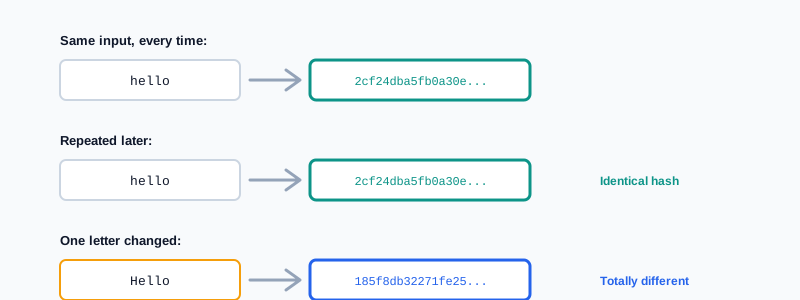
- The same input always produces the same output. Hash
helloa hundred times, on a hundred different computers, and every single result is identical. - A tiny change in the input produces a completely different output. Changing one character — even just capitalizing a letter — scrambles the entire result, not just the part near the change.
- It only runs one way. There's no operation that takes a hash and reconstructs the original text from it. That's not a missing feature; it's the entire point of how the function is built.
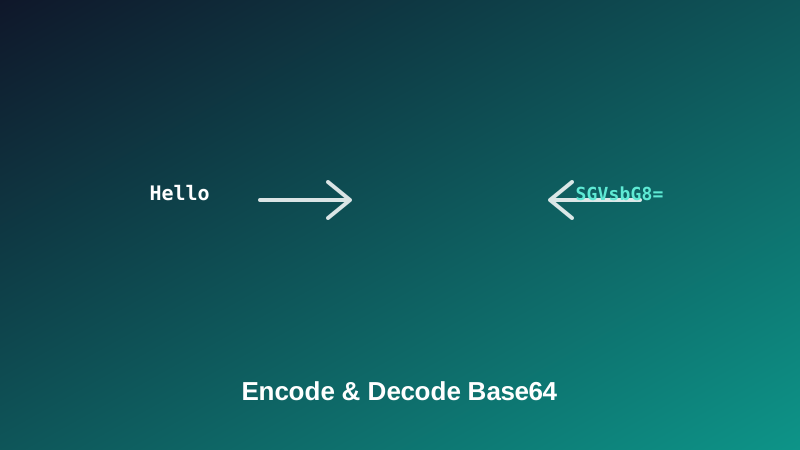
That last property is what separates hashing from something like Base64. If you've encoded text to Base64 before, you know it's fully reversible — decode it and you get the original back exactly. A hash gives you no such option. It's a fingerprint, not a container: useful for confirming two things match, useless for recovering what either of them actually said.
MD5, SHA-1, SHA-256, SHA-512: What's Actually Different
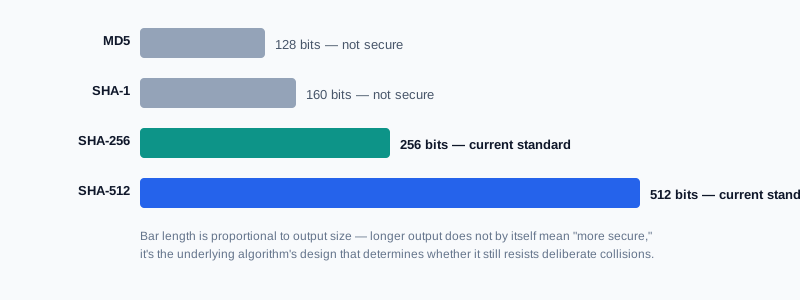
All four are hash functions, and all four follow the same basic rules above. What differs is the length of the output they produce, and — more importantly — how much you can currently trust that output to be unique.
| Algorithm | Output length | Still trustworthy for security today? | Typical modern use |
|---|---|---|---|
| MD5 | 128 bits (32 hex characters) | No | Casual comparison, legacy systems |
| SHA-1 | 160 bits (40 hex characters) | No | Legacy systems, older git internals |
| SHA-256 | 256 bits (64 hex characters) | Yes | General-purpose default |
| SHA-512 | 512 bits (128 hex characters) | Yes | Same use as SHA-256, larger output |
MD5 and SHA-1 aren't broken in the sense of producing wrong or unreliable output for everyday comparisons — they still work exactly as designed for spotting an accidental change. What's broken is their resistance to a deliberate attack: researchers have demonstrated ways to construct two different inputs that produce the same MD5 or SHA-1 hash on purpose, which defeats the point of using a hash anywhere security actually depends on it. SHA-256 and SHA-512 don't currently have that weakness, which is why they're the standard recommendation today.
How to Generate a SHA-256 Hash, Step by Step
Step 1: Open the SHA-256 Generator
Go to My PDF's SHA-256 Generator. No installation or account needed.
Step 2: Type or Paste Your Text
The hash appears instantly below the input field and updates live as you type — there's no separate "generate" button to click.
Step 3: Copy the Result
Turn on the uppercase toggle first if the system you're comparing against expects uppercase hex characters; otherwise the default lowercase output is standard. Then copy the result with one click.
Generating MD5, SHA-1 or SHA-512 Instead
The process is identical for the other three algorithms — only the tool and the resulting output length change:
- MD5 Generator — for matching a legacy system or an old checksum that specifically expects MD5.
- SHA-1 Generator — for the same reason, where SHA-1 specifically is required.
- SHA-512 Generator — functionally interchangeable with SHA-256 for security purposes, just with a longer output.
If you're not sure which one a task actually wants, look for the word "SHA" followed by a number in whatever instructions you were given — that number tells you exactly which tool to open.
Practical Examples
Confirming two pieces of text are byte-for-byte identical. Say you've received the same API key, config block, or paragraph of text from two different sources, and you need to know if they're genuinely identical without manually comparing every character. Paste each version into SHA-256 Generator separately. If the two resulting hashes match exactly, the texts are identical. If even a single hidden character differs — an extra space, a different line ending — the hashes come out completely different, thanks to the avalanche effect covered earlier.
Completing a coding exercise or take-home assignment. A common request in developer interviews and tutorials is "compute the SHA-256 hash of the string X and submit the result." Paste the exact string in, copy the output, done.
Generating a short, deterministic reference code. Rather than storing a full email address or long identifier directly in a spreadsheet or log, some workflows hash it first to produce a fixed-length, consistent stand-in value — the same input always maps to the same code, without exposing the original text directly in that particular column.
Spot-checking a value pulled from documentation. Some APIs and services publish the expected hash of a specific string (a fixed configuration value, a known test payload) so you can confirm your own setup matches theirs exactly before troubleshooting further.
What This Tool Can't Do
Worth being upfront about scope, since it saves a wasted attempt later:
- It hashes text, not files. If you're trying to verify a downloaded file's published checksum, that requires a file-hashing utility built into your operating system, not a text-based browser tool like this one.
- It can't reverse a hash back into readable text. No hash generator can — that's the defining property of a hash function, not a limitation specific to this tool.
- It isn't a password-storage mechanism. Hashing a password with SHA-256 and saving the result is a common beginner instinct, but real applications use purpose-built password-hashing algorithms (like bcrypt or Argon2) that add salting and deliberate slowness — a plain SHA-256 hash of a password is crackable far too quickly for that specific job.
Common Mistakes When Hashing
Assuming a hash can be decoded back to the original. It can't, by design. If you need the original text back later, keep a copy of it — the hash is a one-way fingerprint, not a storage format.
Using MD5 or SHA-1 where security actually matters. Both remain fine for casual, non-adversarial comparisons, but neither should be trusted anywhere someone might deliberately try to produce a matching fake.
Not accounting for invisible differences in the input. A trailing space, a different line ending, or an accidentally included newline changes the hash completely, even though the text looks identical on screen. If two hashes don't match and you're sure the visible text is the same, check for exactly this.
Using a plain hash function to store passwords. SHA-256 alone, without salting and deliberate slowdown, is not what production systems should use for password storage — see the scope note above.
Comparing hash strings with inconsistent casing. A hash is the same value whether it's displayed in uppercase or lowercase, but comparing "A1B2..." to "a1b2..." as literal text strings will look like a mismatch. Match the case convention of whatever you're comparing against, using the uppercase toggle if needed.
Tips & Best Practices
- Default to SHA-256 unless you have a specific reason not to. It's fast, well-supported, and currently has no known practical weakness.
- Only use MD5 or SHA-1 to match an existing legacy requirement. Not for anything new where you're choosing the algorithm yourself.
- Strip stray whitespace before comparing hashes, especially when pasting from somewhere that might have added a trailing space or line break.
- Remember hashing verifies, it doesn't hide. If the goal is actually to keep something confidential, that's an encryption problem — Protect PDF for a document, or a properly generated password for an account.
- Don't hash passwords yourself for an application's login system. Use an established password-hashing library built for that specific purpose instead of a general-purpose hash function.
Key Takeaways
- A hash function turns any input into a fixed-length, one-way fingerprint — the same input always produces the same hash, but the process can't be reversed.
- MD5 and SHA-1 still work for casual comparisons but are no longer trustworthy anywhere security matters; SHA-256 and SHA-512 are the current standard choices.
- Hashing, encoding and encryption solve three different problems — verifying, reformatting, and hiding data, respectively — and mixing them up is the most common source of confusion.
- A single invisible character difference, like a trailing space, is usually the real reason two "identical-looking" pieces of text produce different hashes.
- This tool hashes text, not files, and isn't a substitute for a proper password-hashing library in a real application.
Related Reading
If what you're actually trying to do is transport or reformat data rather than verify it, how to encode and decode Base64 covers that closely related but fundamentally different tool. For more guides like this one, browse the full blog or the complete tools directory. For a deeper technical background on how these functions are built, see Wikipedia's entry on cryptographic hash functions.
Got a string to hash right now? Open the SHA-256 Generator and get your result instantly.
Comments
Comments aren't open on the blog yet. In the meantime, share this article using the buttons above, or reach us directly at contact@mypdf.tech.